Features
Everything a small team needs. Nothing it doesn't.
A complete Kanban workflow — self-hosted, no subscriptions, no per-seat math. Here's the whole surface area.
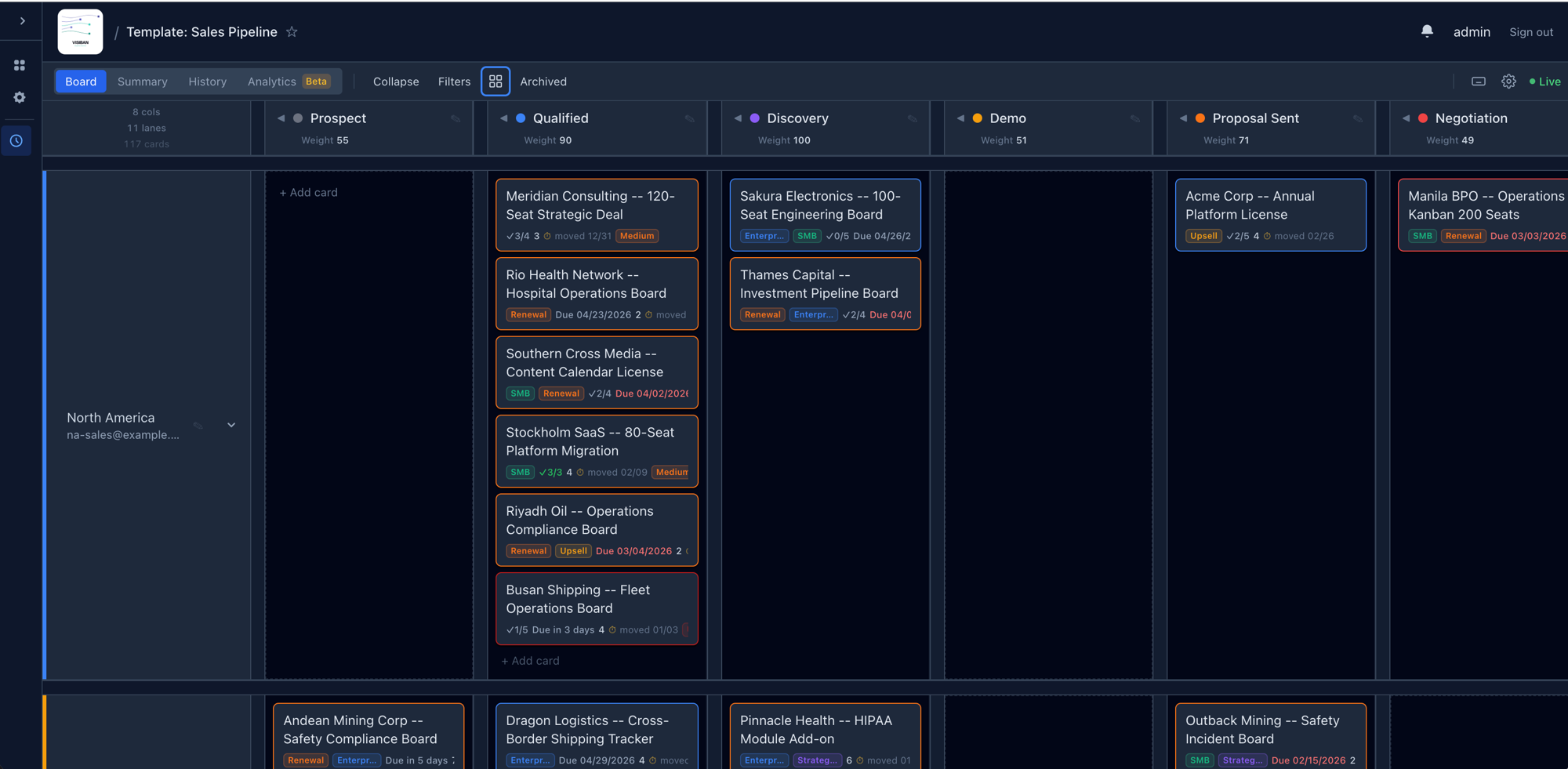
New in 1.1
What shipped in the 1.1 release
The first feature release after 1.0 — faster navigation, real-time everywhere, and a calmer board. Full release notes →
Light theme
Full Light / Dark / System theme support. The System option follows your OS appearance live.
Command palette (⌘K)
Jump to any board, search cards, and run board actions from a single keyboard-driven launcher.
Keyboard shortcuts
Full board-chrome coverage with an in-app reference (?) and platform-aware hints.
Live activity drawer
A real-time feed of card moves, creations, and member events — toggle with ⌘\.
Real-time group boards
Boards created, renamed, deleted, or moved appear live on the group page — no reload.
Card peek
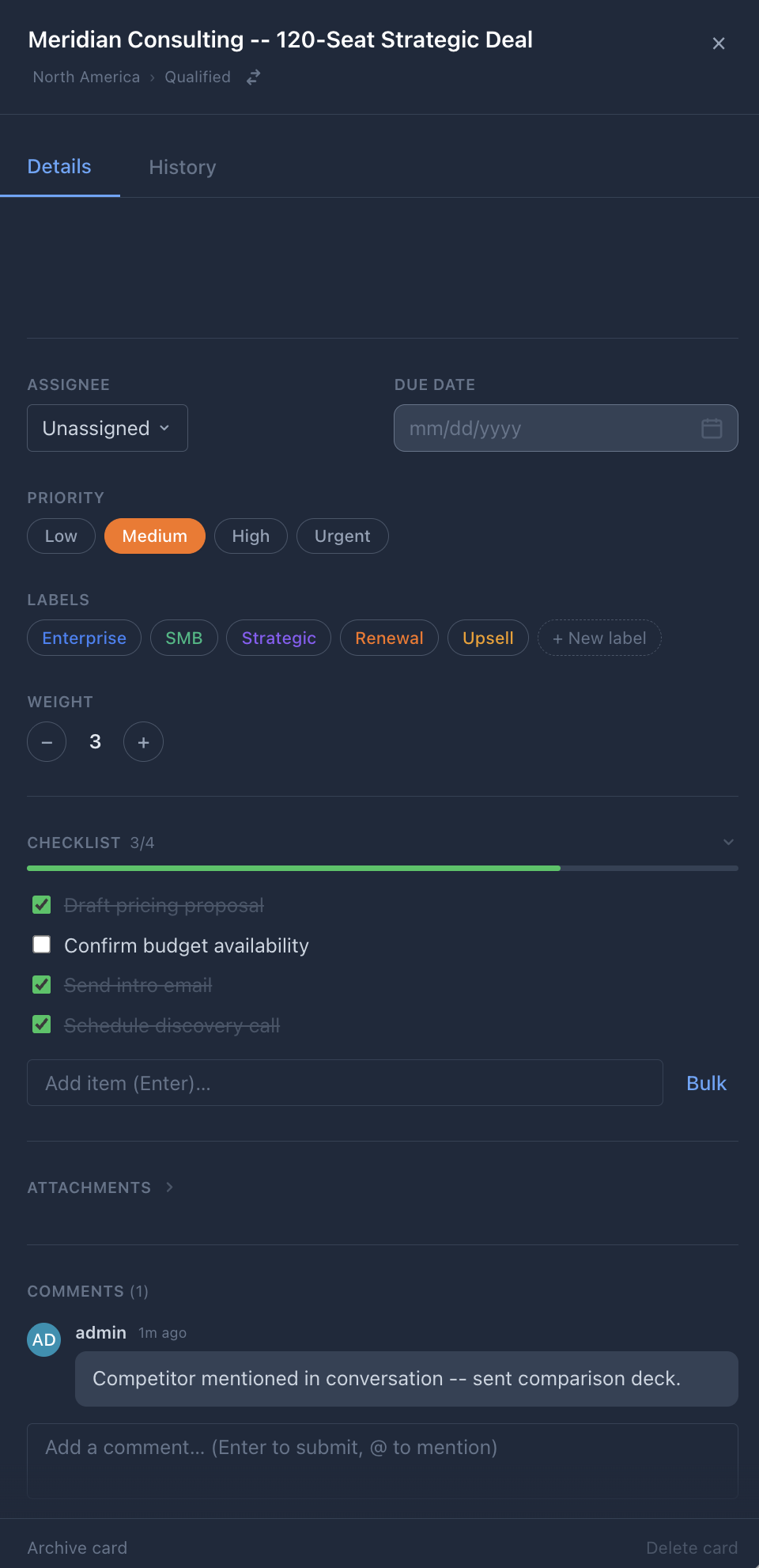
Hover a card for an instant read-only preview of its description, checklist progress, and last activity.
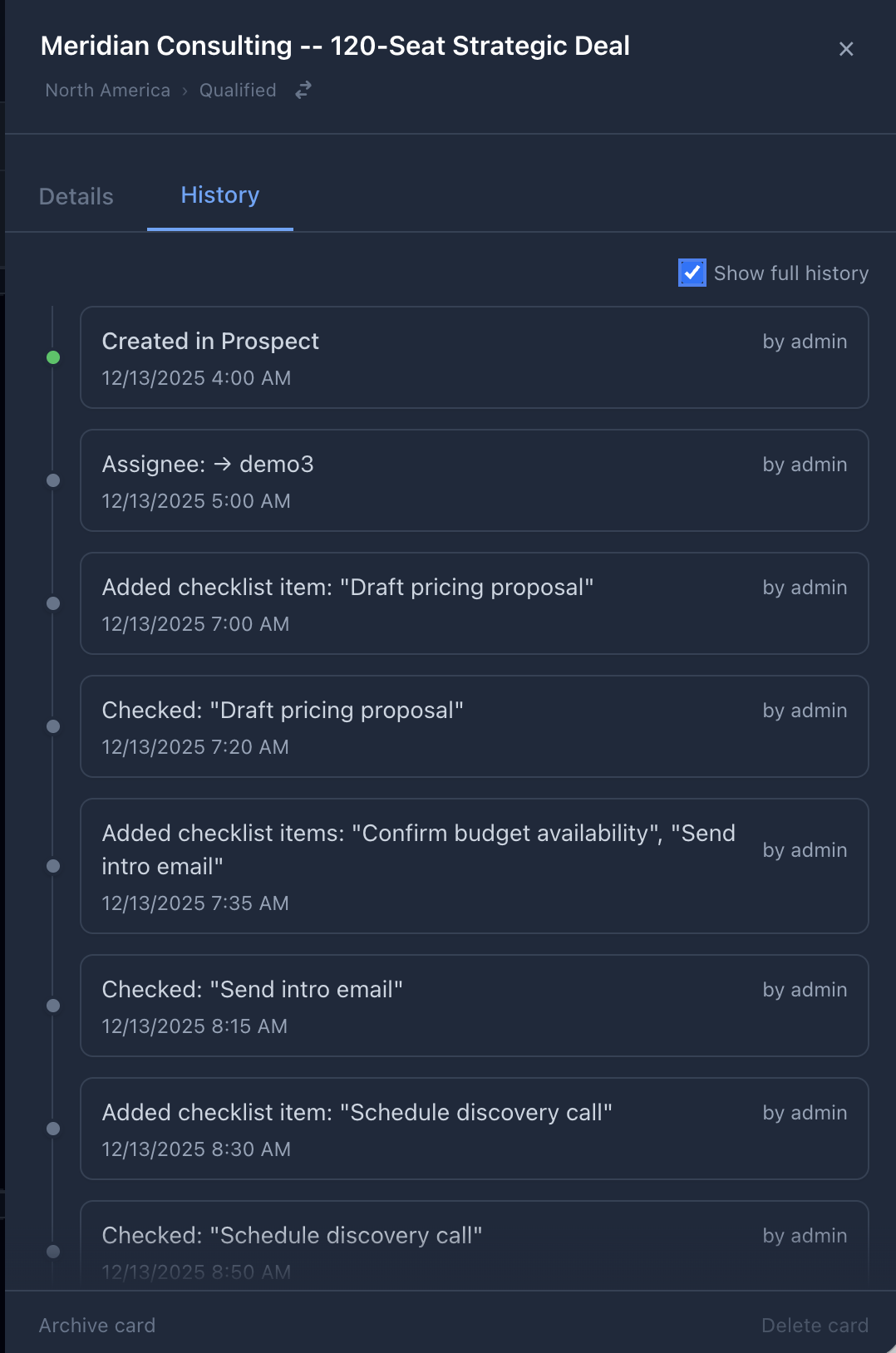
Card activity timeline
Moves, field changes, comments, checklist events, and attachments in one paginated feed on the card.
Filter chips & shareable links
Active filters render as dismissible chips and serialize to the URL; saved filters become one-click preset tabs.
Card density
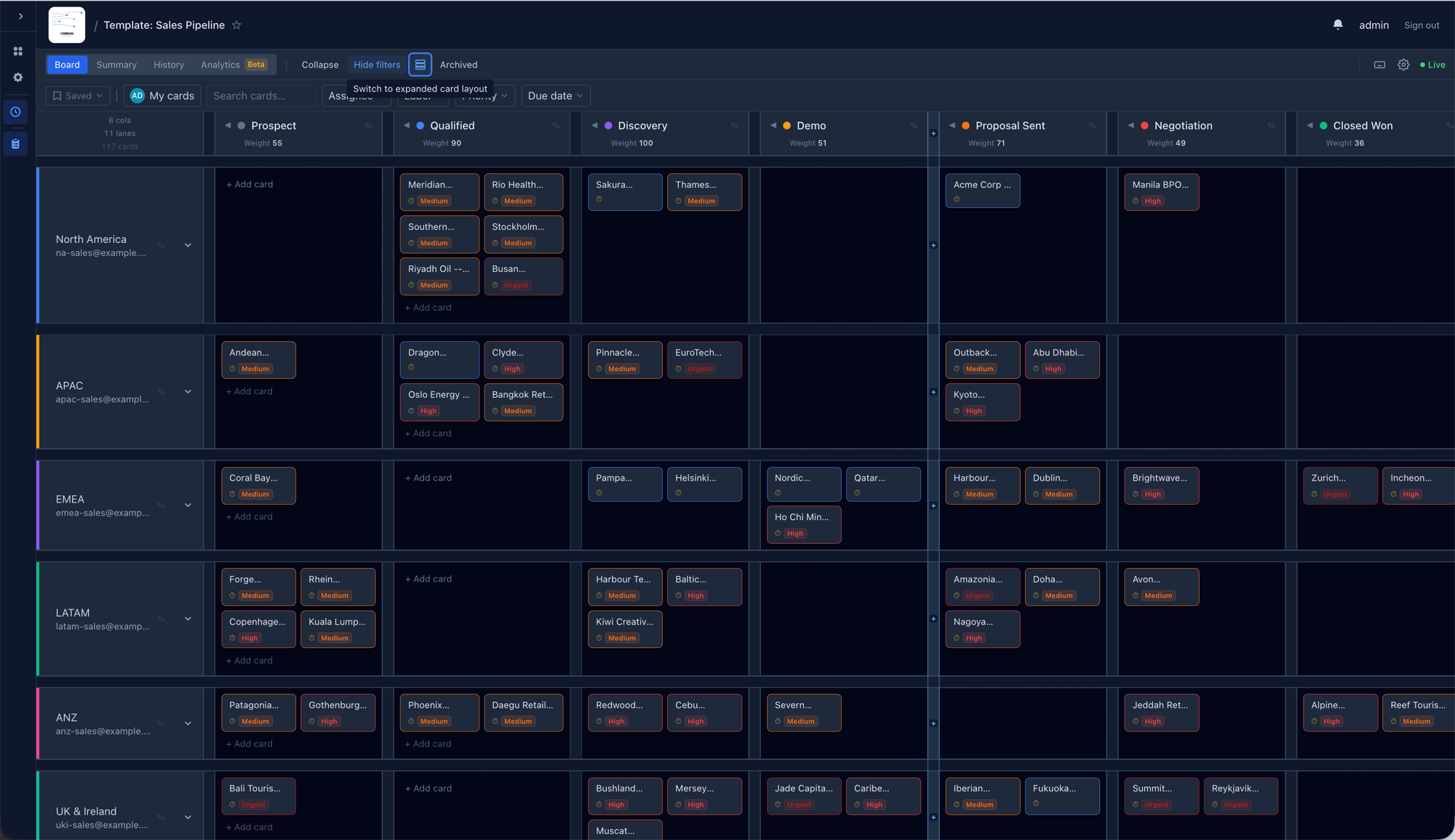
Comfortable / Standard / Dense tiers control how much metadata each card face shows.
Expiring share links
Set a TTL — Never / 7 / 30 / 90 days — on public board share links; expired links return 410 Gone.
Mobile & tablet navigation
A drawer-based navigation affordance for viewports too narrow for the full board grid.
Export audit log
Track who exported each board, and restrict exports to a minimum role per board.
See it · Use it · Learn from it · Set it up
A guided tour
The board — what you'll see
Daily workflow — what you'll do
Insights — what you'll learn
Getting started — how easy setup is
The full list
Every capability, by area
Board
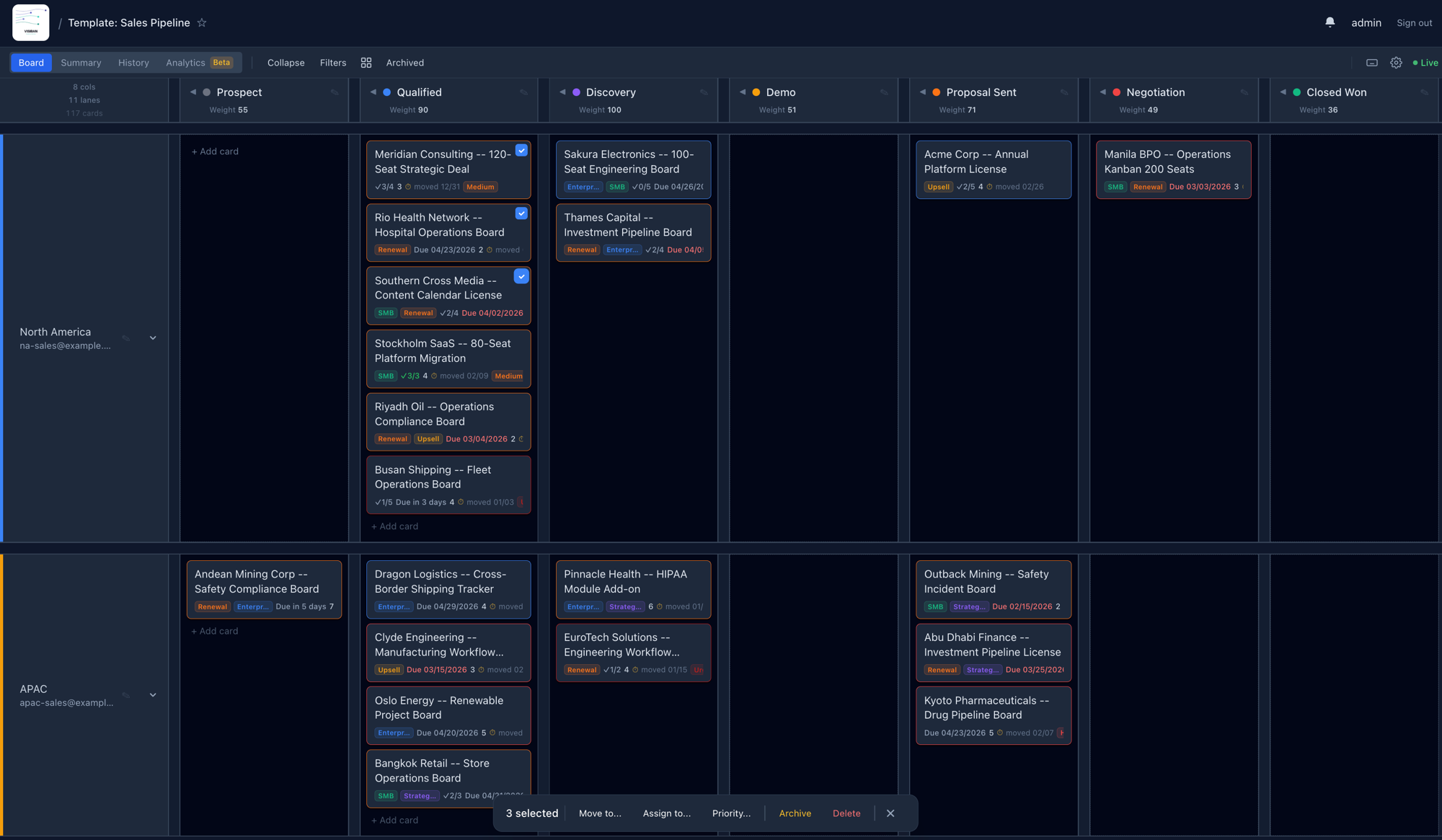
Swimlane Kanban grid
Columns on the X-axis, customer/team swimlanes on the Y. Each cell is a droppable zone. Up to 50 columns and 100 swimlanes per board.
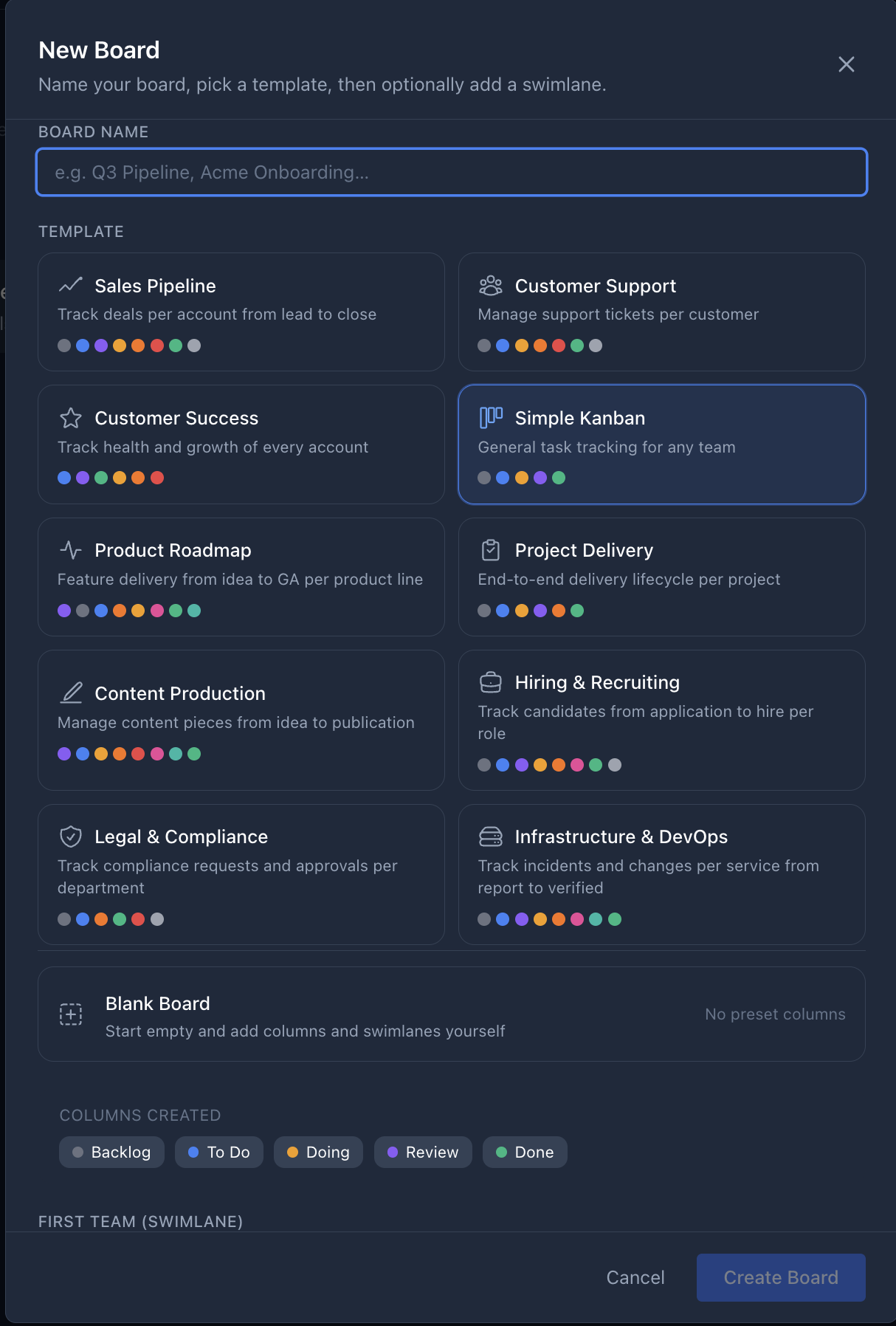
11 board templates
Sales Pipeline, Customer Support, Product Roadmap, Hiring, Legal, DevOps and more — each pre-seeded with columns and a swimlane label.
Drag-and-drop
Move cards between cells with optimistic updates and automatic rollback on failure.
WIP & weight limits
Set a card-count and a numeric-budget limit per column. When enforced, over-limit moves return a structured error — admins can override in one click.
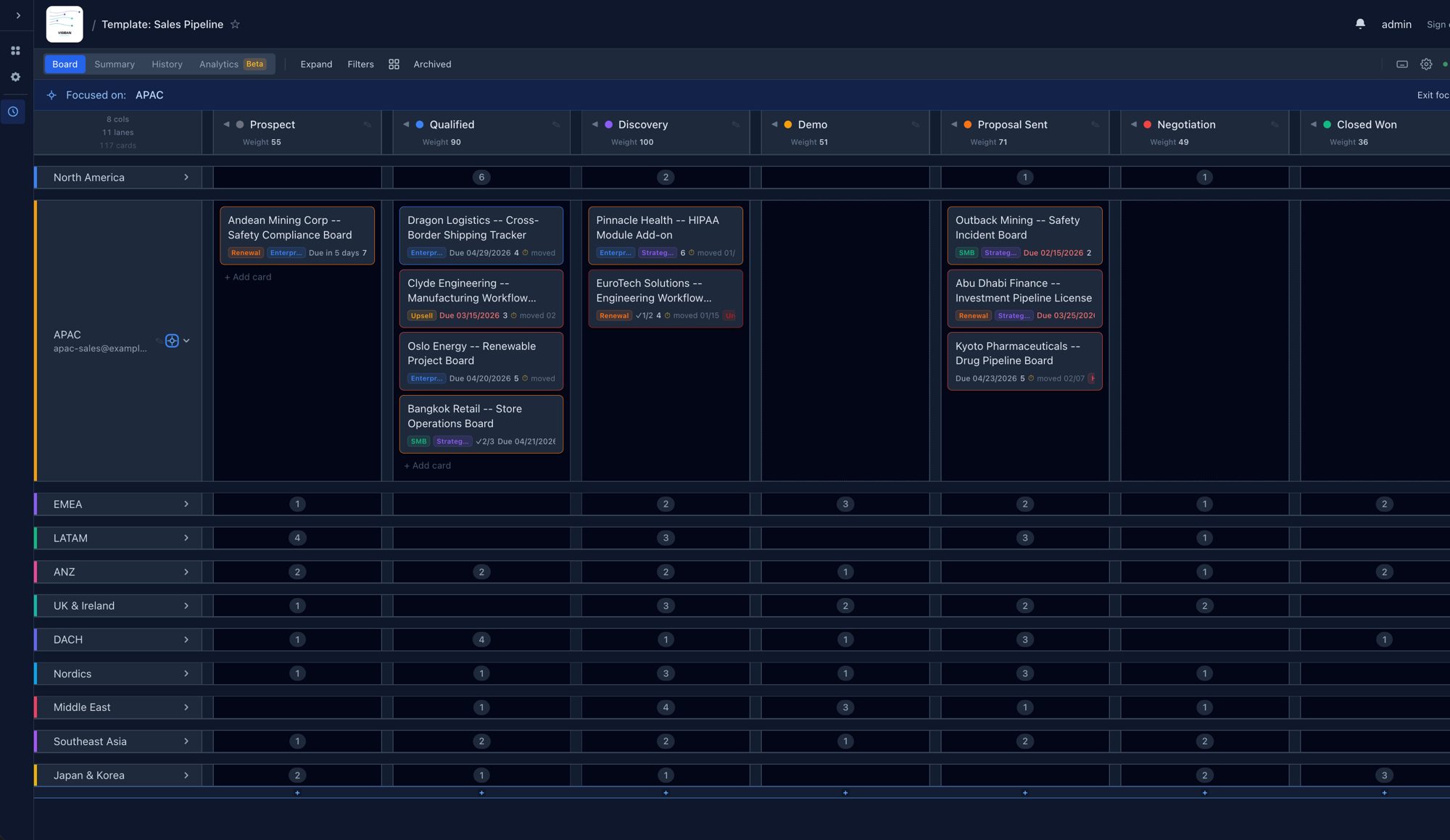
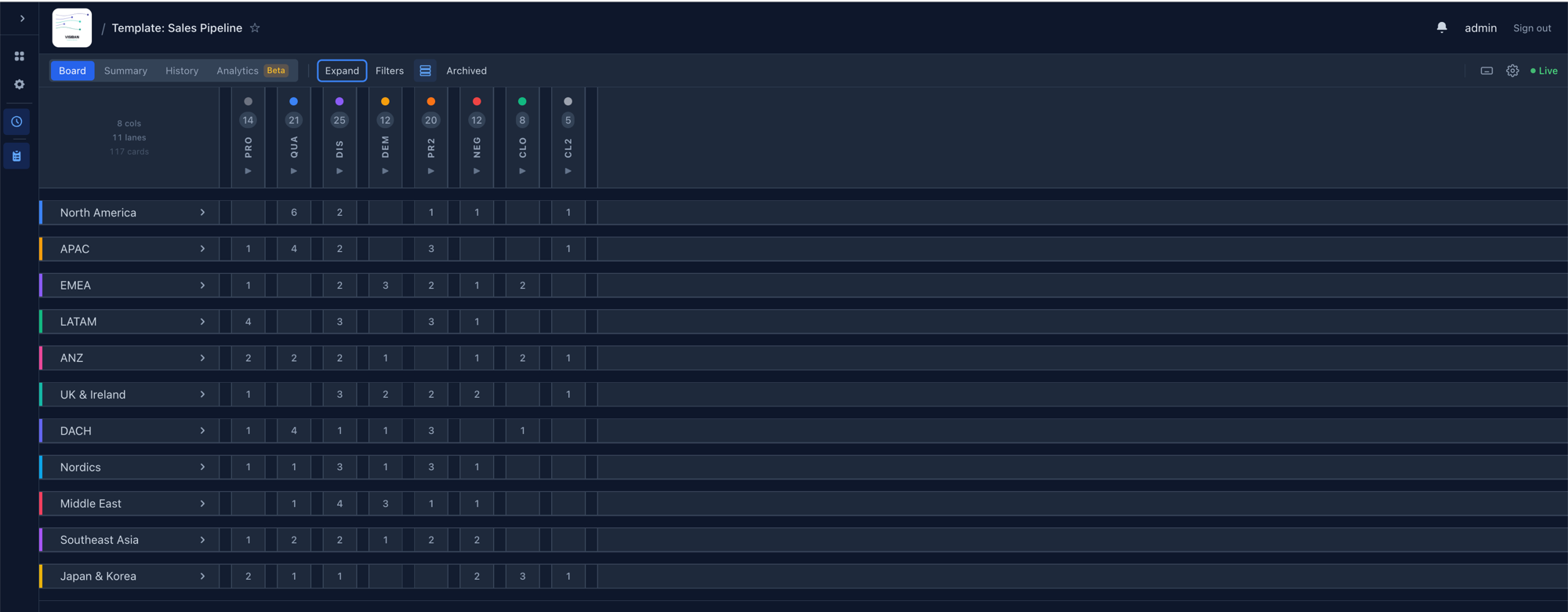
Collapsible swimlanes
Collapse a lane to hide its cards and reclaim vertical space, with a count badge for what's hidden.
Default board
Mark any board as default — after login you land there directly instead of the board list.
Cards
Rich text descriptions
Click-to-edit with a toolbar: bold, italic, code, lists, headings, blockquote, color. Stored as markdown.
@mentions
Type @username to pick a board member; they're notified instantly. Re-editing a mention doesn't re-notify.
Detail fields
Title, priority, assignee, labels, due date, weight, checklist, comments, and attachments — all in one side panel.
Movement audit trail
Every move recorded with who, from where, to where, and when. Powers dwell time and stalled-card detection.
Archiving
Archive instead of delete — cards leave the board but restore any time. Analytics use the archive timestamp as the terminal event.
Search & filters
Server-side full-text search with a 300 ms debounce, plus client-side filters for assignee, priority, label, and due date. State persists.
Labels
Create color-coded labels per board and apply several to a card for grouping and filtering.
Bulk actions
Select many cards and move, assign, set priority, archive, or delete in one action.
Stable UIDs
Every entity carries a permanent 16-character hex UID — safe to reference in integrations and scripts after renames.
Collaboration
Real-time sync
All mutations broadcast instantly via WebSockets, deferred to transaction commit — no stale state.
Online presence
See who's currently viewing the board in the top-right of the toolbar.
Notifications
For assignments, @mentions, due dates, card moves, and comments. Each trigger toggles independently.
Card comments
Threaded comments visible to collaborators and above. Authors and admins delete with two-stage confirmation.
Organization
Groups & sub-groups
Nest boards in a hierarchy. Role inheritance flows from parent groups to children automatically.
RBAC
Four roles — Admin, Member, Collaborator, Viewer — with strict boundaries, plus a site-admin flag for instance access.
Group Admin cascade
Group Admin grants board-admin on every board in the group — the recommended role for team leads.
Invite links
Named, shareable join links per group with their own role and optional expiry (1/7/30 days). Up to five active.
Starred favorites
Star boards and groups to pin them in the sidebar under Favorites.
Administration
Site admin panel
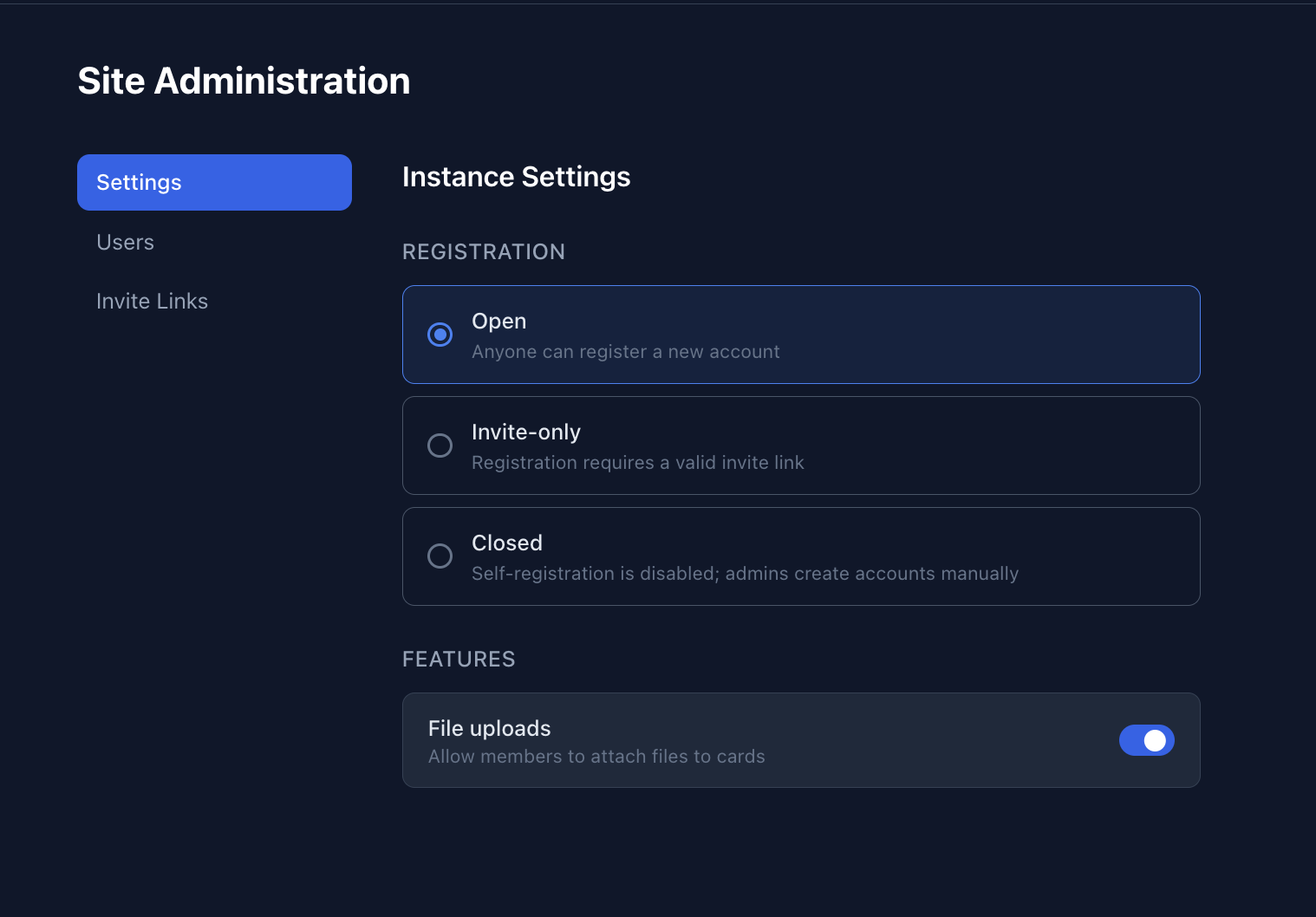
A built-in /admin for instance owners: manage users, toggle registration, deactivate accounts, force resets.
Registration modes
Open, invite-only, or fully closed — switchable from the admin panel without a redeploy.
OAuth login
Google, GitHub, or GitLab via allauth, alongside password auth. Providers are optional per instance.
API rate limiting
60 req/hr anonymous, 1000 req/hr authenticated. User search separately capped to prevent enumeration.
Settings
Locale preferences
Date, time (12/24h), and number format (US/European/Indian) applied to due dates, timestamps, and analytics.
Theme
System, Dark, or Light — applied immediately and persisted in localStorage.
Notification preferences
Enable or disable individual triggers, enforced server-side — disabled triggers are never sent.
Security
Change your password and manage linked OAuth providers from Settings → Security.
Data
Export to CSV / JSON
Full board export including cards, comments, checklists, and movement history.
Import from file
Load a JSON or CSV export into a new board. Accepts lowercase/snake_case headers so external files import cleanly.
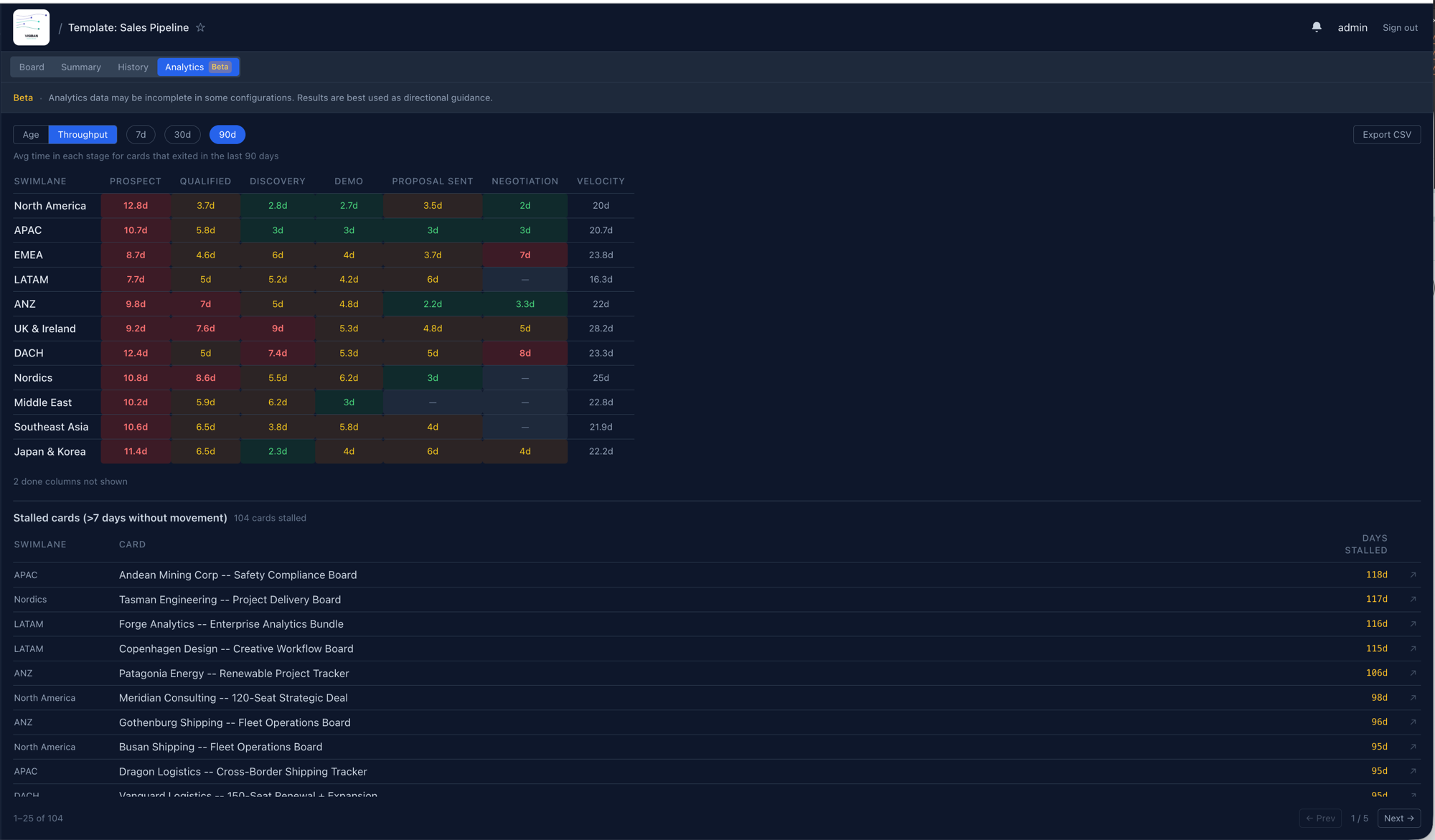
Analytics view
Median dwell time per stage from movement history, outliers highlighted, plus a stalled-card list.
Summary view
Card counts and 7- / 30-day velocity per swimlane — useful for weekly standups.
Infrastructure
Docker Compose
Single-command dev and prod. Postgres 17, Redis 7, daphne ASGI, Nginx; prod adds Let's Encrypt TLS.
Kubernetes / Helm
Official chart with configurable ingress, TLS, external Postgres/Redis, OIDC SSO, and persistent media.
Health checks
Liveness and readiness probes at /api/health/ for Kubernetes.
OpenAPI spec
OpenAPI 3.0 schema at /api/schema/ with Swagger UI and ReDoc; CI validates on every backend change.
Security hardening
MIME-validated uploads, formula-injection-safe CSV exports, loopback-only admin, CORS guard in production.
Ready to see it on your own board?
Self-host in under ten minutes, or explore the live demo.